Three books crossed my desk about the same time, Tim Ferriss’s The 4-Hour Workweek, Mark Frauenfelder’s Rule the Web, and Gina Trapani’s Upgrade Your Life. They have certain aims and features in common, so I’ll describe them in one long Reading Jag post.
***
Ferriss counsels his readers to expand their horizons and pursue their dreams, even at considerable risk. He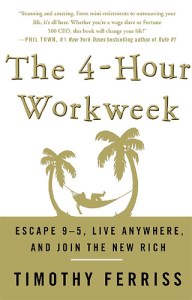 asks a straightforward question: Why put off what you’ve been working for all your life? There are people who work 60+ hours per week, and don’t do much else. Chances are they aren’t happy campers, even if they think they are. Some have been logging dozens of weekly hours for decades. They surely do need to stop the carousel and ask themselves why they got on in the first place. They should also stick around an honest answer.
As it happens, Timothy Ferriss is a pretty young guy. To all appearances, he is constitutionally incapable of working a forty-hour week. There’s just too much fun to be had, and much of it requires happy-go-lucky world-travel. Since having fun is his primary aim in life, and work fits uneasily in that scenario, he’s devised a strategy for limiting his work commitments to four hours a week. And he’s managed to make a fortune doing so. This book explains how. It’s also an advertisement for his consulting services for those who wish to follow the plan and achieve the same dream.
Ferriss offers a lot of practical advice about how to manage time, conduct business more efficiently, and join ranks with “the new rich.” And plenty of it is good advice. But layered throughout his enthusiastic campaign to streamline is a work ethic that deserves closer examination than many readers will give. He makes certain assumptions and claims about the point of human existence and the value of work that will be absorbed without awareness by the narcissistic rabble that makes up so much of the American population today.
Living a morally exemplary life has more to do with being than doing. For any significant action or form of life it is appropriate to ask, What sort of person would make that choice? In this case, what sort of person would wish to tidy things up on the scale and in the manner commended by Ferriss? What would it mean for society if everyone behaved in the way that is celebrated here? What kinds of relationships and commitments would be possible living this way? And what would replace the machinery of work as an incentive to personal discipline?
I don’t mean to break the spokes on Ferriss’s wheel. The irony is that “leisure is the basis of culture,” as Joseph Pieper argued. If the community of the new rich use their greater leisure for at least a modicum of contemplation and pursuit of the highest ideals, it will be a good thing for them and others. I like the way Ferriss writes and I share his sense of adventure. I welcome many of his specific suggestions for improving productivity and making room for other important activities beyond work. I recommend the book, but with caution. And I have to say, his website is way cool.
***
The other two books are more about the pragmatics of productivity, and both focus heavily on the use of technology in ordering our lives. Gina Trapani has a name for the person who assimilates efficiency habits in the use of technology—computer technology, mostly. The name is “lifehacker.” The subtitle for Upgrade Your  Life is The Lifehacker Guide to Working Smarter, Faster, Better. I don’t know what there is about “better” that isn’t covered by “smarter” and “faster,” or why “better” doesn’t cover the bases all by itself. Titles like these abound, and they’re much more effective from a marketing standpoint when they aren’t subjected to much analysis. But hey, who’s analyzing?
The book, in the edition I have, includes no less than 115 “hacks,” laid out in eleven chapters and 450 pages, if you count the index. It’s definitely “user-friendly,” as any book with its objectives would have to be. Here’s a chapter-by-chapter rundown.
Chapter 1 suggests ten hacks for controlling email. Hack 1, like all the hacks in the book, is stated as a directive and uses a verb in the active voice—”Empty Your Inbox (and Keep It Empty).” If you aren’t already convinced of the value of this advice, Trapani makes a compelling case. And the suggestions for making this work are useful. Hacks 2, 3, and 4 didn’t do much for me. Number 5 is interesting: “Use Disposable Email Addresses.” This can certainly come in handy when you don’t want to risk a barrage of junk mail after divulging your email address online as a condition for some promised benefit. Trapani tells you how to circumvent that dread possibility.
Hack 6 is useful, number 7 not so much (speaking personally, of course). I especially liked learning about hacks 8 and 9, for consolidating email addresses and scripting repetitive email responses, respectively.
The main problem I have with Hack 8 is that I can’t use gmail in tandem with my business email account in the way that’s required. That’s a limitation of FirstClass mail, one of many that have caused me a degree of frustration. I can forward mail from FirstClass to gmail, of course. But if I reply from gmail, recipients get my messages marked with my gmail address rather than my FirstClass address. That’s generally not desirable.
It’s remarkable how often I receive unsolicited questions about some presumed area of expertise, and how often the same questions recur. A solution, helpful to both parties, is to script replies to the commonest inquiries. Scripting repetitive messages and replies doesn’t take much specialized knowledge. But a book of this kind, that is virtually (no pun intended) encyclopedic, has to include a few pages on the wherefore and the how-to.
Hack 10 is OK, but not brilliant in my work environment. (Trapani understands that some hacks will work better for some people than for others.)
Hacks 11 to 21, collected in Chapter 2, are about organizing your data—all that stuff that comes your way and has to be archived in some fashion, ready for future reference. There are hacks for
- structuring your documents folder (the main thing is to come up with some way to keep unrelated stuff off your desktop and in places where it can be found fairly easily),
- using searches and various tools to retrieve files,
- keeping track of the bulging tribe of passwords needed for web logins and such,
- tagging bookmarks (using del.icio.us, for example; see Brett O’Connor’s book del.icio.us Mashups),
- organizing digital photos (Trapani likes Picasa; but Leo Laporte, The Tech Guy,on AM radio, recommends an online service called carbonite.com),
- designing a personal planner, and
- maintaining paper files.
Chapter 3 is kind of a breakdown in greater detail of the final hack in chapter 2. That hack, number 21, is about designing your own planner. Chapter 3 is titled “Trick Yourself Into Getting Done.” This is a series of eight hacks (22-29) for managing your projects, calendar, and time. The advice is sound. While not entirely original, it’s convenient to have it packaged here with other lifehacking suggestions.
Chapter 4 continues in the same vein, but with greater focus on specific types of activities and responsibilities, using the computer for it all. Here are six hacks for doing more things with your photo library (using Flickr), taking notes, and organizing tasks. Hack 31 explains how to build your own personal wikipedia. It sounds cool. But the cool factor is erased for me because it only works on the Windows platform. I know, I can run Windows on my Mac. But I don’t want to run Windows, which is one reason why I have a Mac.
The last hack of the chapter, number 35, very sensibly suggests using plain-text files for tracking projects and tasks. This suggestion is every bit as useful to GTDers—the cult followers of David Allen’s somewhat baroque strategy for Getting Things Done. I actually like David Allen’s general approach, have recommended his book to my students, and have gifted the book to my research assistants. I imagine GTD appeals most to those of us with obsessive-compulsive personality disorders (sorry, David). But a disorder is a disorder, and you’ve got to work with it. The thing is, a GTD addict may be completely nonplussed about managing life with something as prosaic as plain text, when there are so many exotic software programs specifically designed to play well with GTD guidelines.
(I know something about this, having spent time in that sandbox myself. And I’ve finally settled on a software program that does it all and without an inordinate number of bells and whistles. It’s called Things. I reckon it has all the virtues trumpeted by Gina Trapani on behalf of plain text, but with greater visual appeal and a minimum of setup. Granted, Things doesn’t work with Windows, at least not yet. Which is yet another reason to go with the Mac platform!)
Hacks 36-44 are set forth in Chapter 5. The chapter title, “Firewall Your Attention,” is not especially self-explanatory. But the point is to have strategies for staying focused on what matters, to avoid web and email distractions, and to set up a work environment conducive to productivity.
Chapter 6 is all about streamlining. There are thirteen hacks here, outlining tricks for speeding up web searches and web page displays, using keyboard shortcuts, text-messaging, and managing money using your cell phone (!). I can’t see myself ever using my camera phone to scan text to PDF (hack 57). But I do use Google Calendar and the instructions about this in hack 56 are very helpful.
One of the main advantages of technological excess should be greater potential for automation, especially for repetitive tasks. That’s the focus of the ten hacks in Chapter 7. Trapani explains, step by step, ways to automate file backups, disc cleanups, application launches, Google searches, and media downloads. Backups are a necessity, and the simpler the procedure the better. (Did I mention carbonite.com?) I guess auto-launches have their place, but I haven’t felt much need for them myself. As for automating searches and downloads, this could be a potential nightmare. You can set your computer to download more stuff than you can possibly wade through during your more leisurely moments. And even if you are willing to burrow into so many archives, you’ll still have to remember to do it periodically and muster the inner strength to resist the temptation to loiter needlessly among all the stimulating stuff that’s been collected while you were sleeping. (That inflated sentence actually illustrates the problem I’m getting at.)
Chapter 8 is all about how to go portable with your tech-saturated life. Twelve unique hacks will have you on your way in no time. First you need a web-based office suite. (Not for me, thank you.) Then you want some device or devices for portable storage, like MojoPac or flash drives. (This makes sense.) You may want to use text messaging to run web apps. Since you always have your cell phone with you, all you need to know is how. Hack 73 explains how to create a virtual private network (VPN). I didn’t know what this was until I came to that portion of the book, but I was pretty sure I didn’t want one. Generally, I prefer a network that is so private no one else but me can get in. I have a home network that links me to the women in my life, and, so far, that’s been enough for me.
Speaking of home computer operation, there are nifty hacks for running a home web server (hack 74), implementing remote controls (hack 75), and assigning a web addresses to your home computer (huh?) (hack 76). Hack 77 is a potpourri of simple ways to get the most out of your computer battery, keyboard, screen, and so forth. Gmail can be used as an internet hard drive (hack 80), your cell phone can multi-task as a modem (hack 79), and your iPod can replace your hard drive (hack 78)—well, not replace it, exactly.
Greater web mastery is only sixteen hacks away—Chapter 9. Google like a pro. Use RSS. Multiply search engines. Exploit the URL bar (I knew there was a name for that thing). Get Firefox working for you. Find out what “reusable media are,” then use them and re-use them. Plot data in interesting ways on various maps. Get used to tabbed browsing. Here’s a good one: “Access unavailable web sites via Goggle” (hack 91). You would think that if a website is unavailable, you wouldn’t be able to access it. What does “unavailable” mean, after all? But you have yet to learn the miraculous powers of Google. And the method is all condensed on one page.
Maintain your elaborately constructed browser habitat from one computer to another (hack 92). It takes two pages to learn this one. Lift the hood on a website you’re not sure you can trust (hack 93). Don’t let Google ruin your reputation; expunge their invasion of your privacy (hack 94). Use Google Notebook for web research (hack 95). (This seems to me to be rather like the Firefox extension called Zotero. But I haven’t done a close comparison.) Cover your tracks after browsing the web (hack 96).
Has your computer ever let you down? Get the upper hand using resources on your computer. Chapter 10 takes you through the steps with twelve specialty hacks. These deal with viruses and infections, data-space hogs, firewalls, and lost files. I couldn’t help noticing that many of these hacks are designed for PCs only. Hmm, wonder what that means?
Chapter 11 concludes the book with eight hacks needed to get multiple computers to synchonize and play nice with each other, sharing data and peripherals (like the same printer, for example)
I wouldn’t have had the patience to write a book like Trapani’s. I’d have to mess with Windows in order to offer the best advice to Windows users, and I’d have to write out in excruciating detail various hacks that are mostly a matter of common sense. And I’m beginning to wonder if Upgrade Your Life is the proper title for a book in this genre. Gina Trapani’s motto says it better, “Don’t live to geek; geek to live!”
The book includes an index. Another nice feature is the set of references that comes at the end of each chapter. Most of these references are web addresses for further material on topics covered in the relevant chapter. Trapani has done her homework. And she keeps up with this dynamic field of tech-savviness at her engaging website (to which I have subscribed using RSS).
***
I suggested earlier that Trapani and Frauenfelder have similar goals. Given the encyclopedic nature of Trapani’s book, what can we expect from Frauenfelder that we don’t find in Trapani? Answer: more focus—as indicated by the full title of his book, Rule the Web: How to Do Anything and Everything on the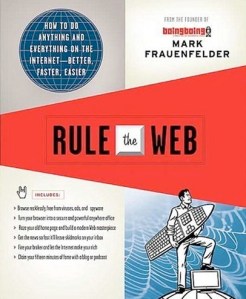 Internet—Better, Faster, Easier. You see, Frauenfelder limits himself to tricks of the internet trade.
But he doesn’t shortchange the reader, since his book comes to 402 pages, including the index. The sheer heft of this reference work (available in inexpensive paperback) convinces us that pretty much anything and everything you can do on the internet is covered in its pages. Testing the claim that you’ll be able to do it all “better, faster, easier” is another matter. I’m in no position to challenge. But I wouldn’t want to; the tactics I find most useful enhance my performance adequately.
Coincidentally, Rule the Web also has eleven chapters. (Or is there some numerological significance in the realm of techno-cultural enhancements?)
- Creating and Sharing
- Searching and Browsing
- Shopping and Selling
- Health, Exercise, and Sports
- Media and Entertainment
- Travel and Sightseeing
- Work, Organization, and Productivity
- Communication
- Toolbox
- Protecting and Maintaining
- Tips from My Favorite Bloggers
Rule the Web follows a familiar structure. But instead of labeling each hack-like suggestion as a kind of directive, Frauenfelder opts for the interrogative. He formulates a question you might have and then he answers.
Things start off pretty simply:
- How do I set up my own web site?
- Is it “website,” one word, or “web site,” two words? (Oops, sorry. That’s not one of the questions.)
- What’s a domain name?
- How many people visit my web site?
Notice the conversational tone. Very user-friendly.
- What are blogs and why should I read them?
- What is RSS and how do I use it? (This overlaps with Trapani.)
- How can I blog using my mobile phone? (Finally we come to a question I’ve been aching to ask. Just kidding.)
There is some seriously good advice here for sprucing up your blog to make it more popular. The whole section on podcasting is a good introduction to the subject. Chapter 1 includes advice about using Wikipedia effectively, stowing photos, and sharing files.
Chapter 2 begins with a nice tutorial on the use of Google’s search tools. Page 108 lists some helpful keyboard shortcuts for the Firefox browser. The rest of the chapter offers pretty elementary instruction on browser technique.
Chapter 3 is a hodgepodge of suggestions for buying and selling goods using the internet. The pages about navigating eBay could save users some agony . . . and maybe even a little money. Comparison shopping is treated here, and there’s advice for buying certain kinds of products on the web (like planes, trains, and automobiles—well, automobiles, anyway). I’ve used the web to find user manuals for all sorts of aged products around our house. I thought it was a sign of Frauenfelder’s sensitivity to the things the web can do for people that he included a paragraph about this.
Chapter 4 sounds like it would be one of the longer chapters. It comes to only eight pages. But this is by no means a measure of the wealth of health and exercise information available online. My questions in this category are almost completely different than the ones raised and answered in this book.
Chapter 5 offers a much more extensive survey of internet resources in the media and entertainment category—63 pages, in fact. This is probably a reflection of the proportional use that is made of the web by our generation. (Of course, no other generation has ever used the web.)
Chapter 6 explains the relatively simple procedures for planning vacations, booking airline seats, reserving hotel rooms, and finding restaurants online. These are common uses of the internet, and the treatment could stand a little more in the way of detail for those who already have some elementary sense about web browsing.
Chapter 7 has two categories: personal productivity, and money and financial management. Again, the treatment is sparing, but internet novices are at least alerted to a sample of the range of things they can do online.

Mark Frauenfelder
Chapter 8 is slightly bulkier than chapter 5. And well it should be, since it deals with so many communication options and issues: wi-fi, cell phones, integrating cell phone use with the internet, Skype, email, and protection from spam. Since I travel a lot, I was interested in the brief section about finding free wi-fi service in public places. This led me to buy the Canary Wireless Hotspotter. I don’t use it often, but it does come in handy. I can test a neighborhood for wi-fi signals and see whether they’re free or not, without booting up my laptop. Thank you, Mark, for that tip!
Chapter 9 recommends ways to keep your computer humming efficiently. It also has a section on music downloads and applications that you might expect to find in chapter 5. One page tells you how to eliminate scratches from the display window on your iPod. Several questions deal with iTunes issues, but not the one that’s had me befuddled for several months, namely, Why can’t I download the tunes I’ve paid for at the iTunes Music Store! The best entry in this chapter explains how to use iTunes as an alarm clock. I’ve genuinely appreciated and enthusiastically followed the simple guidelines. Again, thanks, Mark! Next I’ll be trying his technique for capturing a still image from a DVD movie that’s playing on my laptop.
Chapter 10 is about maintenance issues, like keeping your cookies down while navigating all those twists and turns in your browsing (not exactly the way Frauenfelder puts it). Encryption, spyware, phishing, pharming, evil twins, and spam are given space here.
Chapter 11 is potpourri time. Twenty-two different bloggers contribute their ideas for superior web techniques. A couple of these appealed to me: Jeff Diehl’s tip on transcribing podcasts and Hana Levin’s practice using random Google searches to come up with blogging links. I’ll experiment with Cyrus Farivar’s ideas for using Greasemonkey scripts. Other than that, the tips section is pretty short on tips and long on plugging favorite websites.
The index makes it a little easier to find your way around this book. The Table of Contents, with its single-level subheaders, is crucial for quick navigation. Otherwise, thumbing through the pages and browsing is your best bet for finding something that will meet your needs or aspirations. I like the book’s concept. The price tag is covered by even the few things that were most useful to me. But the bulk of it is less than what I needed. And that really counts when it comes to space on my bookshelf. I estimate that there are maybe two or three dozen pages that really helped me out. And that’s how it is with books of this kind. They aim at such a broad audience that, for each particular reader who has some facility with the internet, there will probably only be a few entries that are truly educational. So the ideal audience for this book is the shrinking population of web users for whom the internet remains a total mystery.
Mark Frauenfelder blogs at boingboing.
***
The internet is truly an amazing phenomenon. My brother-in-law and his family are vacationing in the East right now. His wife phoned my wife to ask for a restaurant recommendation in the vicinity of Times Square (like we go there all the time). Fact is, Dianne did recall a restaurant we all enjoyed when we were there as a family in 2001. She just couldn’t remember the name. Our daughters knew exactly what she was referring to, but couldn’t bring up the name, either. Me? I didn’t even remember being there! But after listening to their nostalgic recollections for a few minutes, I knew exactly what to do. I went to the family computer and Googled the following string of terms: “space theme burgers restaurant new york city.” And there it was—Mars 2112, Restaurant and Bar. It will take more effort than that to call the in-laws back with the information.

Mars 2112, Restaurant and Bar








 Doug Geivett's Blog
Recent Comments